> ## Documentation Index
> Fetch the complete documentation index at: https://docs.llmcontrols.ai/llms.txt
> Use this file to discover all available pages before exploring further.
# Embedded chat widget
On the [Publish pane](/Concepts/publish-flows), the **Embed into site** tab displays code that can be inserted in the `` of your HTML to interact with your flow.
The chat widget is implemented as a web component called `llmc-chat` and is loaded from a CDN.
The following example includes the minimum required inputs, called [props](https://react.dev/learn/passing-props-to-a-component) in React, for using the chat widget in your HTML code, which are `host_url` and `flow_id`. The `host_url` value must be `HTTPS`, and may not include a `/` after the URL. The `flow_id` value is found in your LLM Controls URL. For an LLM Controls server running the [Basic prompting flow](https://docs.llmcontrols.ai/Components/Models#use-a-model-component-in-a-flow) at `https://c822-73-64-93-151.ngrok-free.app/flow/dcbed533-859f-4b99-b1f5-16fce884f28f`, your chat widget code is similar to the following:
```
```
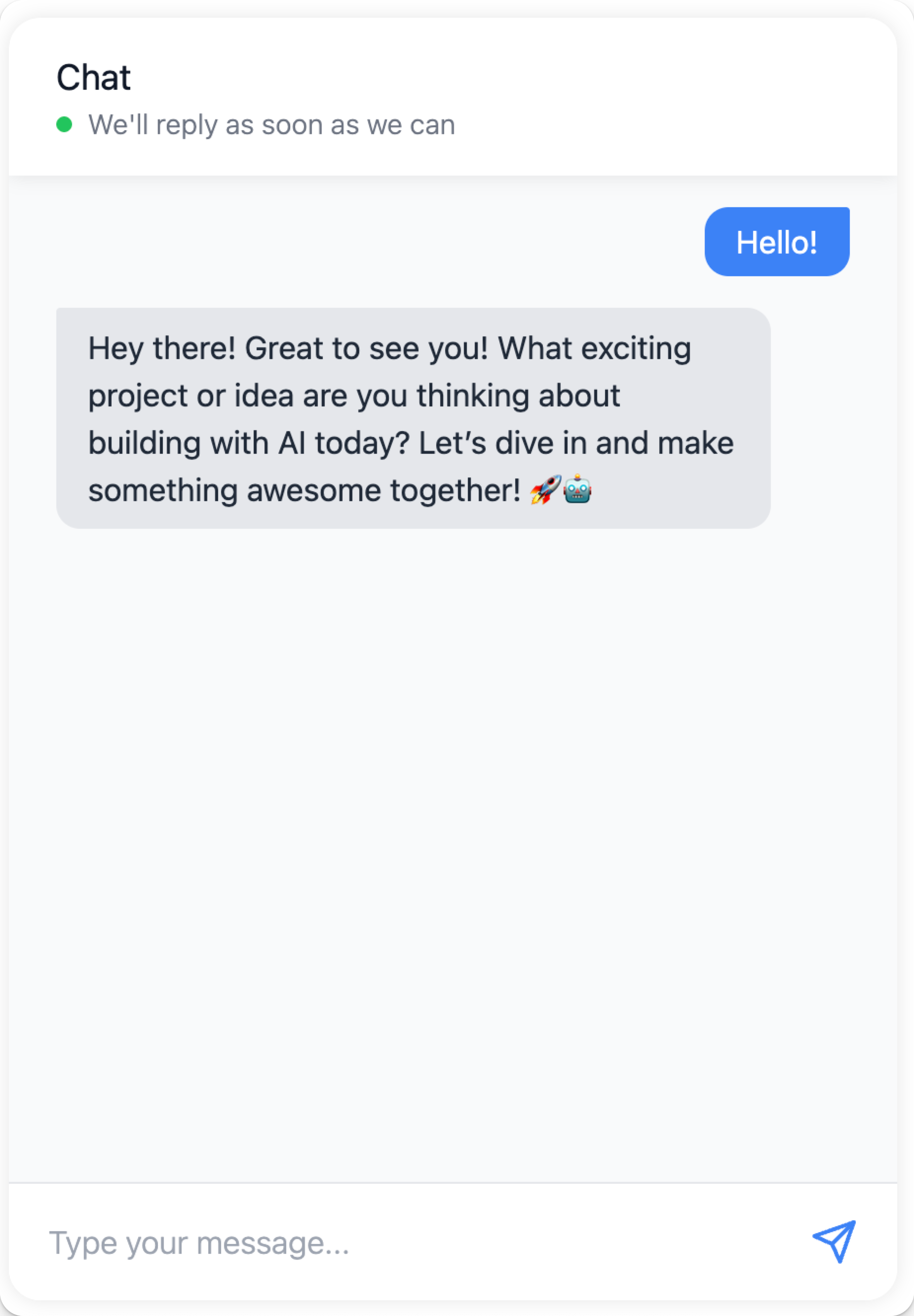
When this code is embedded within HTML, it becomes a responsive chatbot, powered by the basic prompting flow.
 To configure your chat widget further, include additional props.
```
```
To add some styling to the chat widget, customize its elements with JSON:
```
```
To add a custom session ID value and an API key for authentication to your LLM Controls server:
```
```
The chat widget requires your flow to contain **Chat Input** and **Chat Output** components for the widget to communicate with it. Sending a message to LLM Controls that, without a **Chat Input,** still triggers the flow, but the LLM warns you that the message is empty. **Text Input** and **Text Output** components can send and receive messages with LLM Controls, but without the ongoing LLM "chat" context.
## **Embed the chat widget with React**
To use the chat widget in your React application, create a component that loads the widget script and renders the chat interface:
1. Declare your web component and encapsulate it in a React component.
2. Place the component anywhere in your code to display the chat widget.
For example, in this docset, the React widget component is located at `docs > src > components > ChatWidget > index.tsx`. `index.tsx` includes a script to load the chat widget code from CDN and initialize the `ChatWidget` component with props pointing to a LLM Controls server.
3. To import the component to your page, add this to your site.
4. To add the widget to your page, include ``.
## **Embed the chat widget with Angular**
To use the chat widget in your [Angular](https://angular.dev/overview) application, create a component that loads the widget script and renders the chat interface.
Angular requires you to explicitly allow custom web components like `llmc-chat` in components, so you must add the `` element to your Angular template and configure Angular to recognize it. Add `CUSTOM_ELEMENTS_SCHEMA` to your module's configuration to enable this.
To add `CUSTOM_ELEMENTS_SCHEMA` to your module's configuration, do the following:
1. Open the module file `.module.ts` where you want to add the `llmc-chat` web component.
2. Import `CUSTOM_ELEMENTS_SCHEMA` at the top of the `.module.ts` file:
`import { NgModule, CUSTOM_ELEMENTS_SCHEMA } from '@angular/core';`
3. Add `CUSTOM_ELEMENTS_SCHEMA` to the `schemas` array inside the `@NgModule` decorator:
4. Add the chat widget to your component's template by including the `llmc-chat` element in your component's `.component.ts` file:
For style properties that accept `JSON` objects like `chat_window_style` and `bot_message_style`, use Angular's property binding syntax `[propertyName]` to pass them as JavaScript objects.
## Chat widget configuration
Props with the type `JSON` need to be passed as stringified JSON (i.e., `'{"key":"value"}'`).
| Prop | Type | Description |
| ----------------------- | ------- | ------------------------------------------------------------------ |
| `flow_id` | String | Required. The flow’s unique ID. |
| `host_url` | String | Required. Base URL of LLM Controls server (HTTPS, no trailing `/`) |
| `api_key` | String | Optional API key for auth. |
| `session_id` | String | Custom session ID. |
| `additional_headers` | JSON | Extra HTTP headers. |
| `height`, `width` | Number | Dimensions of the widget. |
| `chat_position` | String | `top-left`, `bottom-right`, etc. |
| `start_open` | Boolean | Whether the chat window opens automatically. |
| `chat_window_style` | JSON | Full widget styling. |
| `chat_trigger_style` | JSON | Trigger button styling. |
| `bot_message_style` | JSON | Bot message appearance. |
| `user_message_style` | JSON | User message appearance. |
| `error_message_style` | JSON | Error styling. |
| `input_style` | JSON | Chat input box. |
| `input_container_style` | JSON | Chat input container. |
| `send_button_style` | JSON | Send button. |
| `send_icon_style` | JSON | Icon for send button. |
| `window_title` | String | Widget header title. |
| `placeholder` | String | Input placeholder. |
| `placeholder_sending` | String | Placeholder while sending. |
| `online` | Boolean | Toggle online state. |
| `online_message` | String | Message shown when online. |
| `input_type` | String | Chat input type. |
| `output_type` | String | Chat output type. |
| `output_component` | String | Which component to route output to. |
| `chat_output_key` | String | Output key to render. |
| `tweaks` | JSON | Custom tweaks for flow. |
To configure your chat widget further, include additional props.
```
```
To add some styling to the chat widget, customize its elements with JSON:
```
```
To add a custom session ID value and an API key for authentication to your LLM Controls server:
```
```
The chat widget requires your flow to contain **Chat Input** and **Chat Output** components for the widget to communicate with it. Sending a message to LLM Controls that, without a **Chat Input,** still triggers the flow, but the LLM warns you that the message is empty. **Text Input** and **Text Output** components can send and receive messages with LLM Controls, but without the ongoing LLM "chat" context.
## **Embed the chat widget with React**
To use the chat widget in your React application, create a component that loads the widget script and renders the chat interface:
1. Declare your web component and encapsulate it in a React component.
2. Place the component anywhere in your code to display the chat widget.
For example, in this docset, the React widget component is located at `docs > src > components > ChatWidget > index.tsx`. `index.tsx` includes a script to load the chat widget code from CDN and initialize the `ChatWidget` component with props pointing to a LLM Controls server.
3. To import the component to your page, add this to your site.
4. To add the widget to your page, include ``.
## **Embed the chat widget with Angular**
To use the chat widget in your [Angular](https://angular.dev/overview) application, create a component that loads the widget script and renders the chat interface.
Angular requires you to explicitly allow custom web components like `llmc-chat` in components, so you must add the `` element to your Angular template and configure Angular to recognize it. Add `CUSTOM_ELEMENTS_SCHEMA` to your module's configuration to enable this.
To add `CUSTOM_ELEMENTS_SCHEMA` to your module's configuration, do the following:
1. Open the module file `.module.ts` where you want to add the `llmc-chat` web component.
2. Import `CUSTOM_ELEMENTS_SCHEMA` at the top of the `.module.ts` file:
`import { NgModule, CUSTOM_ELEMENTS_SCHEMA } from '@angular/core';`
3. Add `CUSTOM_ELEMENTS_SCHEMA` to the `schemas` array inside the `@NgModule` decorator:
4. Add the chat widget to your component's template by including the `llmc-chat` element in your component's `.component.ts` file:
For style properties that accept `JSON` objects like `chat_window_style` and `bot_message_style`, use Angular's property binding syntax `[propertyName]` to pass them as JavaScript objects.
## Chat widget configuration
Props with the type `JSON` need to be passed as stringified JSON (i.e., `'{"key":"value"}'`).
| Prop | Type | Description |
| ----------------------- | ------- | ------------------------------------------------------------------ |
| `flow_id` | String | Required. The flow’s unique ID. |
| `host_url` | String | Required. Base URL of LLM Controls server (HTTPS, no trailing `/`) |
| `api_key` | String | Optional API key for auth. |
| `session_id` | String | Custom session ID. |
| `additional_headers` | JSON | Extra HTTP headers. |
| `height`, `width` | Number | Dimensions of the widget. |
| `chat_position` | String | `top-left`, `bottom-right`, etc. |
| `start_open` | Boolean | Whether the chat window opens automatically. |
| `chat_window_style` | JSON | Full widget styling. |
| `chat_trigger_style` | JSON | Trigger button styling. |
| `bot_message_style` | JSON | Bot message appearance. |
| `user_message_style` | JSON | User message appearance. |
| `error_message_style` | JSON | Error styling. |
| `input_style` | JSON | Chat input box. |
| `input_container_style` | JSON | Chat input container. |
| `send_button_style` | JSON | Send button. |
| `send_icon_style` | JSON | Icon for send button. |
| `window_title` | String | Widget header title. |
| `placeholder` | String | Input placeholder. |
| `placeholder_sending` | String | Placeholder while sending. |
| `online` | Boolean | Toggle online state. |
| `online_message` | String | Message shown when online. |
| `input_type` | String | Chat input type. |
| `output_type` | String | Chat output type. |
| `output_component` | String | Which component to route output to. |
| `chat_output_key` | String | Output key to render. |
| `tweaks` | JSON | Custom tweaks for flow. |