
Prerequisites
- Basic familiarity with LLMC components
Create the Prompt Optimizer Flow
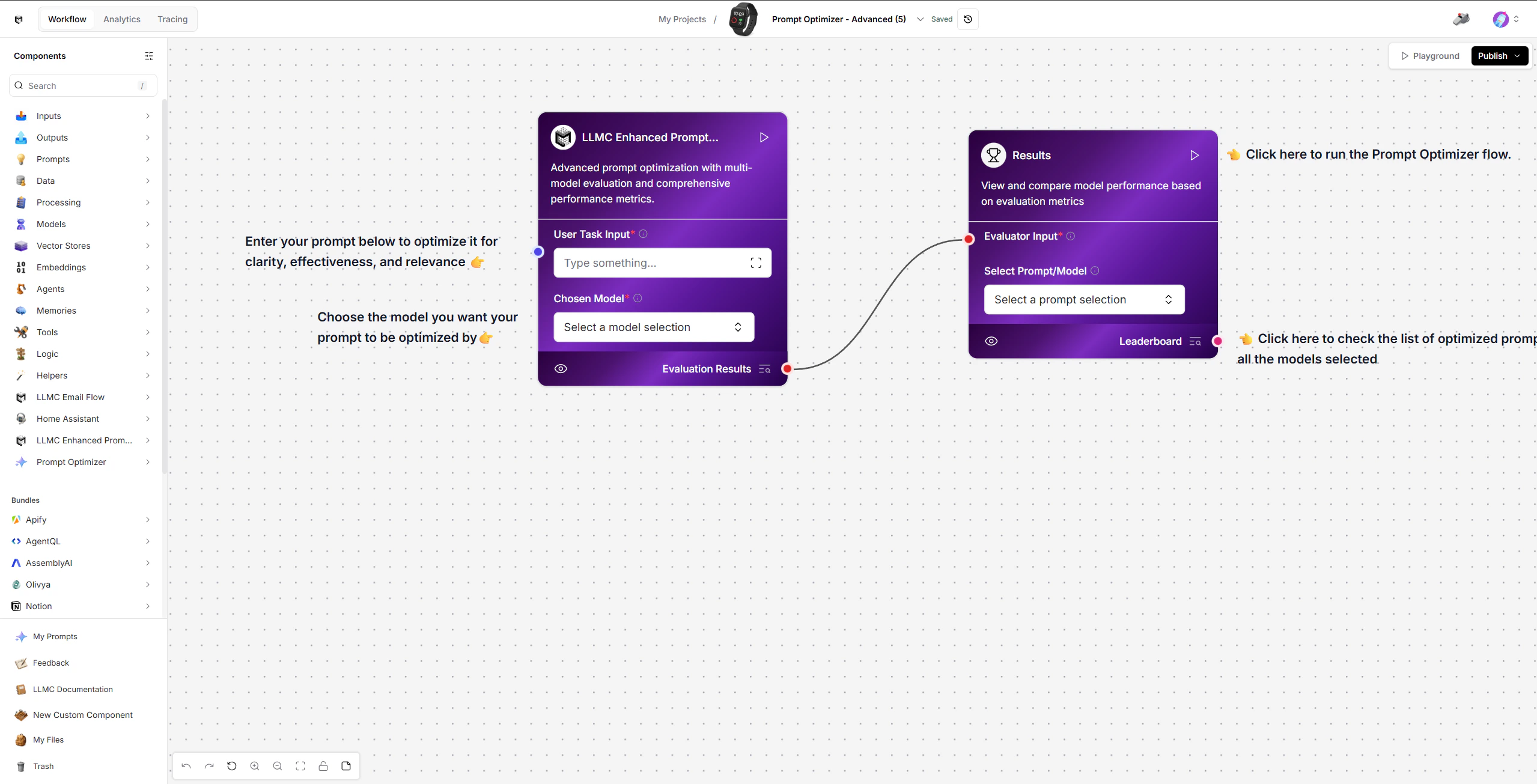
1. Enter Your Task
Start with the LLMC Prompt Optimizer component (left side of the workspace). Steps:- Enter a clear task or base prompt in the User Task Input field.
- Select the model you want your prompt to be optimized by using the Chosen Model.
2. Run the Optimization
Click Run on the Results node (right side) to trigger the full optimization pipeline. What happens behind the scenes:- Generates structured prompt variations from your task.
- Creates test cases to evaluate prompts fairly and consistently.
- Builds scoring criteria like clarity, relevance, tone, and completeness.
- Generates answers from each prompt variation using the selected model.
- Scores and ranks each output against the evaluation criteria.
3. Review Results
The Results component aggregates scores and displays a ranked leaderboard.- View the Leaderboard to compare prompt performance across all models selected.
- Use Select Prompt/Model to choose the top-performing prompt for use.
Modify or Extend
- Change the task description to optimize prompts for different use cases.
- Select different models to compare how prompts perform across providers.
- Use the selected prompt in LLMC Executor within other templates like Vector Store RAG or Targeted FAQ.
Configuration Checklist
Example
Input: “Generate concise product descriptions for an e-commerce website.” Output: A ranked leaderboard of optimized prompt variations with accuracy, speed, and quality scores.Built With
- LLMC Framework
- LLMC Prompt Optimizer Engine
- Results Leaderboard